The field app your crew will actually use.
The whole job on one screen, even with no bars.
No sign-up. Built by Flickode, the team that would build yours.
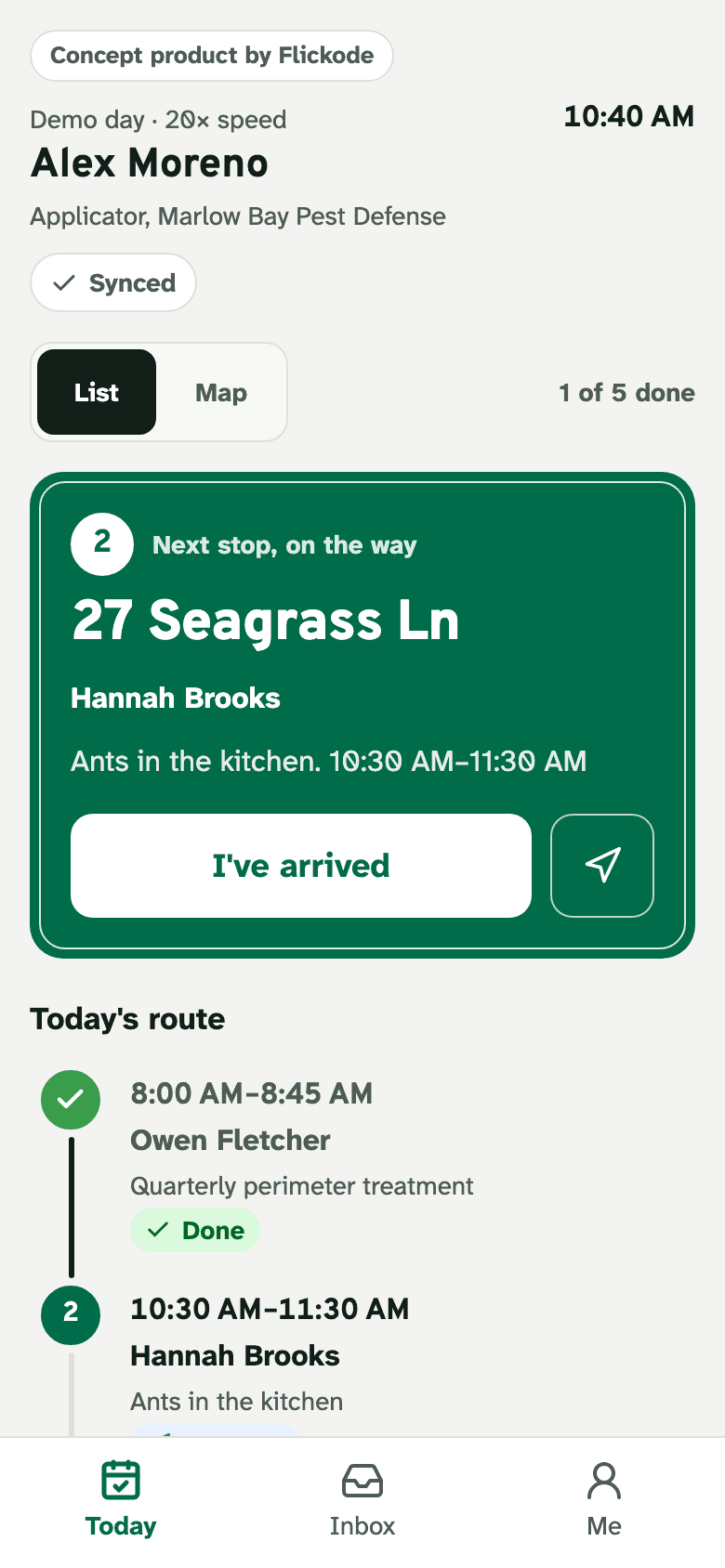
Always says whether the work is saved.
One tap on site. The office board updates in about a second.
Today's route, in order.
- 1Always says whether the work is saved.
- 2One tap on site. The office board updates in about a second.
- 3Today's route, in order.
No bars. Nothing lost.
Basements, rooftops and back roads are normal in the field. Every change is saved on the phone first and sent when there's signal, in order, exactly once.
Flip the signal below and watch the changes land on the office board.
Try the Signal switch in the live demo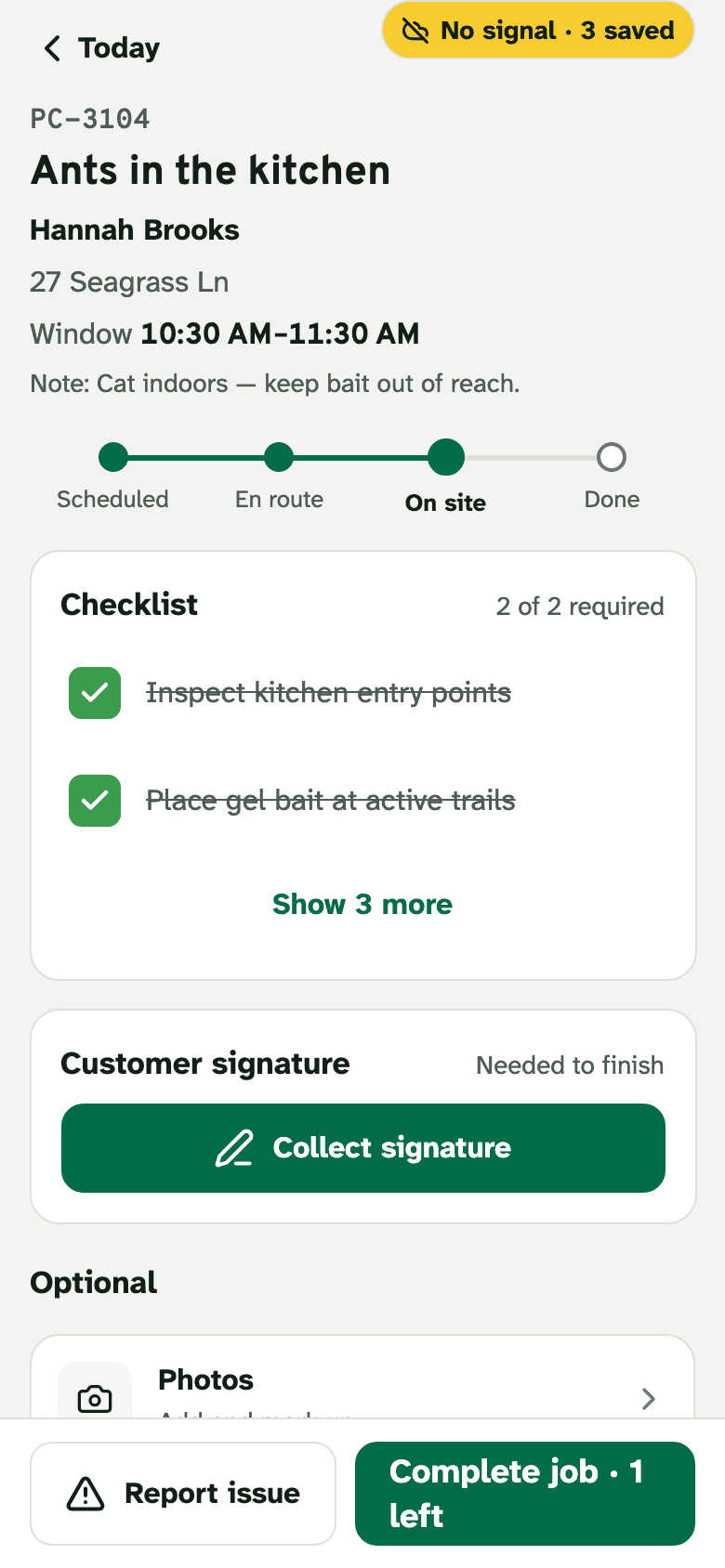
No bars: saved on the phone, sent later.
Required items first. Ticked here with no signal.
- 1No bars: saved on the phone, sent later.
- 2Required items first. Ticked here with no signal.
On the phone
3 changes saved on this phone
- Checked “Inspect kitchen entry points”
- Checked “Place gel bait at active trails”
- Customer signature: Hannah Brooks
Office board
- Waiting for the phone to reach the server.
Illustration. The live demo does this with the real app, API and database.
Talk. Get the treatment record.
The applicator records a voice note; speech-to-text and a language model turn it into a structured treatment record with work done, findings and follow-up.
Every result names the model that wrote it. When the daily AI limit is reached, a labeled scripted example takes its place.
Try the voice report in the live demo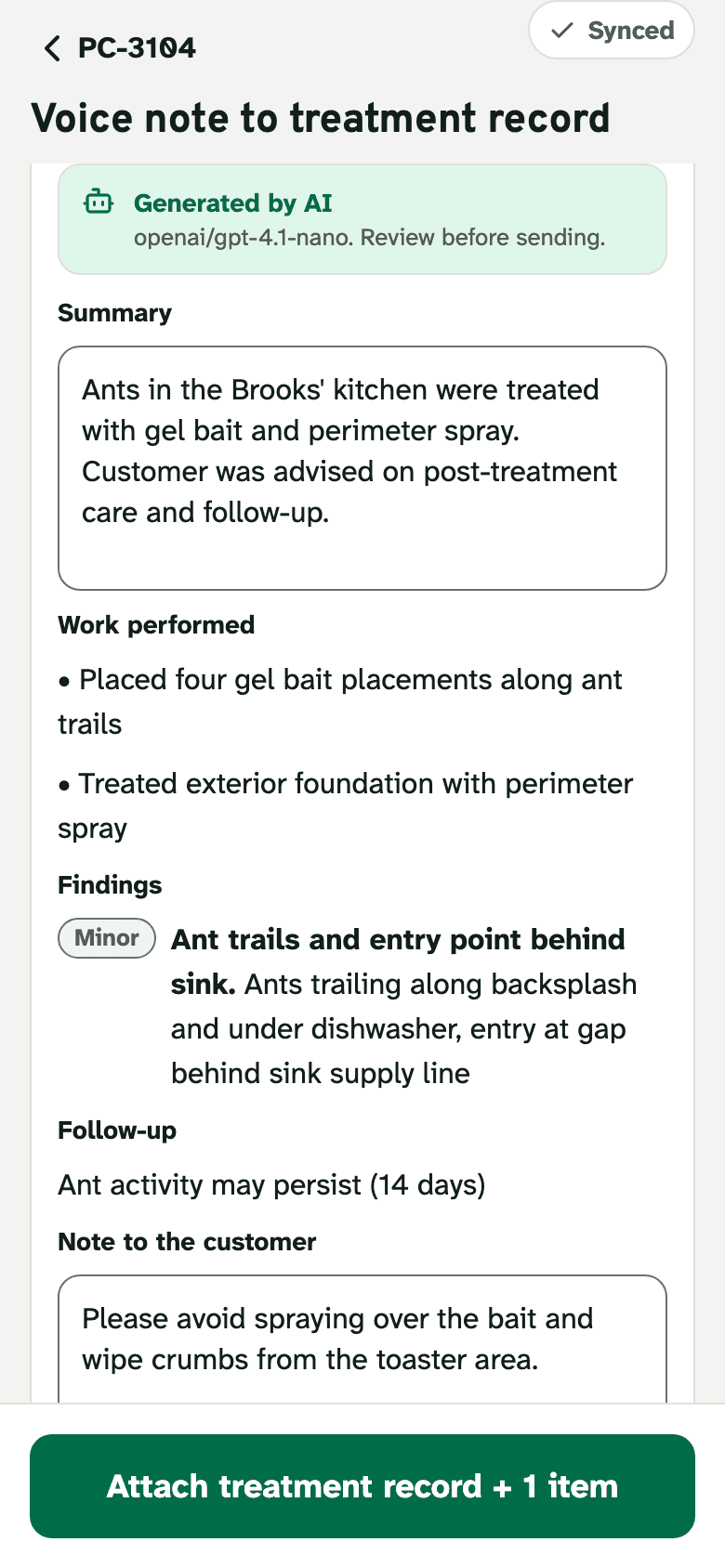
Names the AI model. Review before sending.
A voice note becomes the treatment record: work, findings, follow-up.
- 1Names the AI model. Review before sending.
- 2A voice note becomes the treatment record: work, findings, follow-up.
Point at the product label.
A photo of the label becomes product, active ingredient and registration number fields — read by a vision model, checked against the expected format, and easy to correct.
Try the label scan in the live demo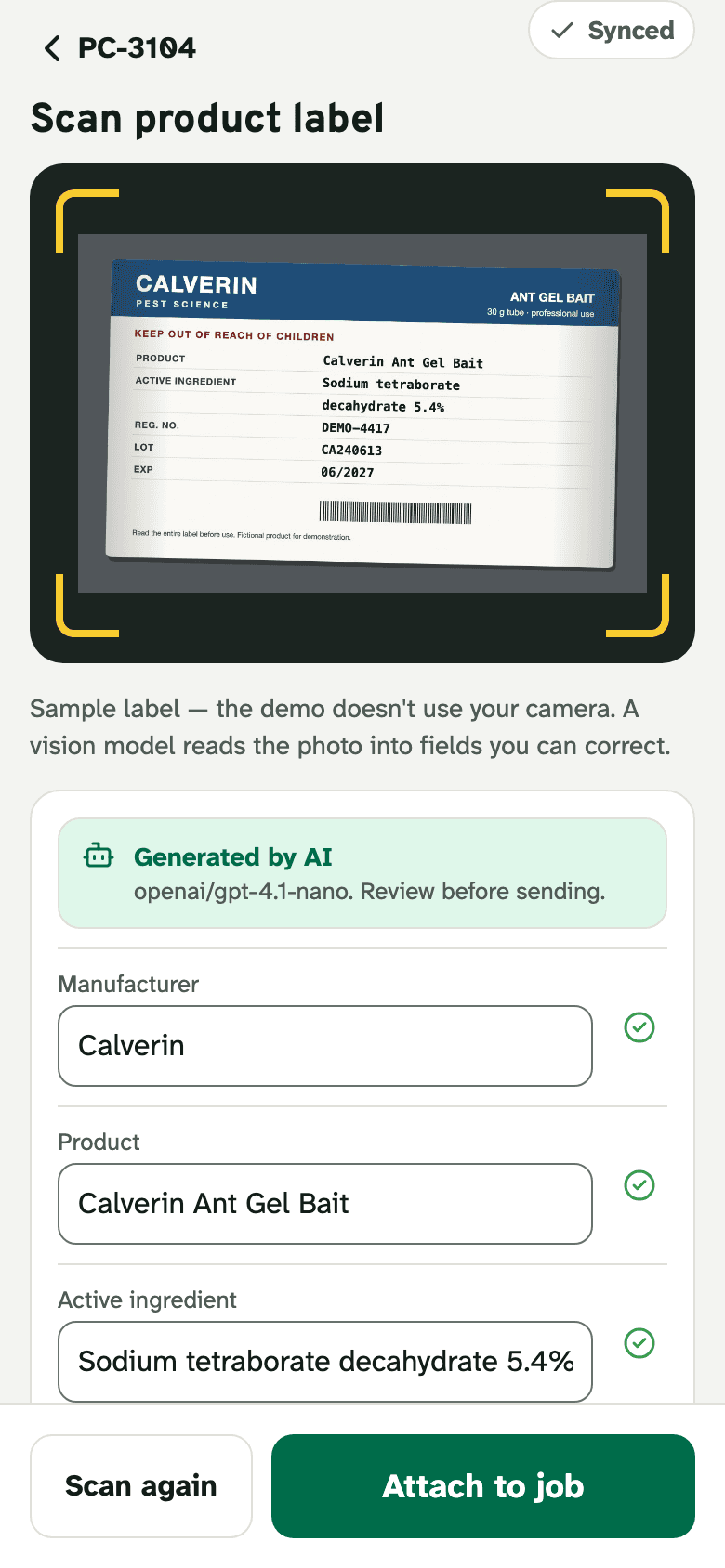
Sample product label photo. The demo never opens your camera.
Read by a vision model into fields you can correct.
Anything off-format is flagged “Check”.
- 1Sample product label photo. The demo never opens your camera.
- 2Read by a vision model into fields you can correct.
- 3Anything off-format is flagged “Check”.
Done means on the record.
Required items, the sign-off and the payment (test mode, no real charges) come before Complete. Then the job carries its evidence to the office, and the customer's treatment record is ready to send.
Complete a job in the live demo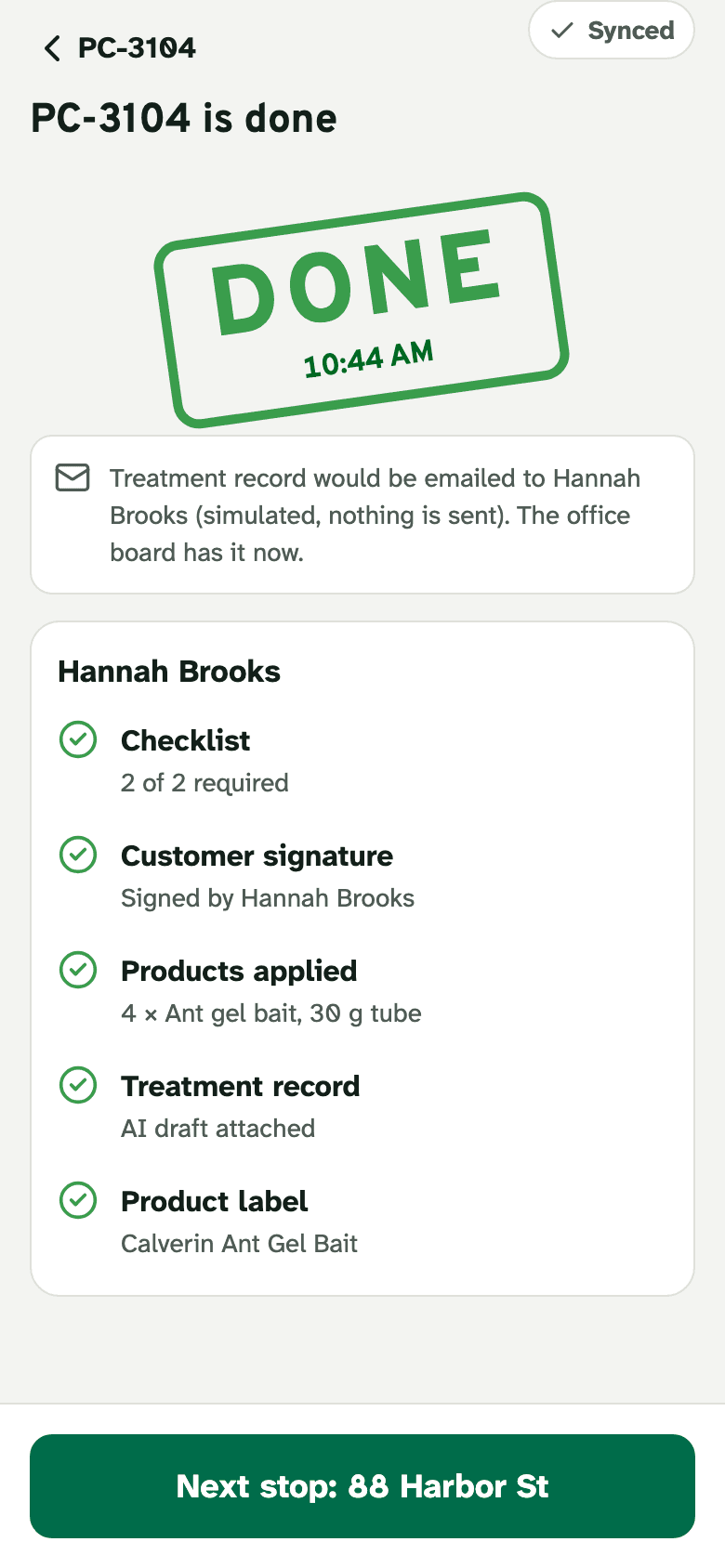
Done. The office board and today's numbers update.
Checklist, sign-off, photos and report on one record.
- 1Done. The office board and today's numbers update.
- 2Checklist, sign-off, photos and report on one record.
The office sees every stop land.
What needs attention, each crew member's day as a route, today's numbers and the live feed. Your phone's changes are marked as yours; the rest of the crew is simulated and says so.
Send an urgent service visit to the phone and it arrives as a push — simulated, and labeled.
Office board, with the demo's starting data
Needs attention
Bees entering the nursery wall Unassigned
Urgent — nobody assigned yet
Termite activity in the gym subfloor Issue reported
Live termites found; the treatment plan needs the school's approval.
Wasp nest by the back door Running late
42 min past the window start
Live activity
- 10:42 AM
From your phone (Alex)
- 10:33 AM
Earlier today · demo data
- 10:12 AM
Earlier today · demo data
- 10:12 AM
Earlier today · demo data
- Completed
- 2of 14
- On time · 5 of 5
- 100%
- Avg time on site
- 46min
- Re-service rate
- 0%
Applicators
Your phone — live via the APISimulated crew
- 1/5
Alex MorenoYou, on the phone
On site · Hannah Brooks
- 1/3
Jamie Cole(simulated)
En route · Priya & Dev Menon
- 0/2
Rosa Delgado(simulated)
On site · The Anchor Inn
Rendered from the demo's starting data plus one change from the phone. The live board updates as you work.
The whole loop in 17 seconds.
The office assigns a call, the phone works through a dead zone, and the board sees every change land when the signal comes back.
An animated reel of the product's screens. The live demo is the real app.
Same app. Your trade's words.
Each version swaps the vocabulary, the checklists, the catalog, the sample labels and the day's jobs. Switch any time; each keeps its own demo.
| Detail | HVACShow this version | Pest controlOn this page | Home inspectionShow this version | Field salesShow this version |
|---|---|---|---|---|
| Job | Service call | Service visit | Inspection | Store visit |
| People | Technician · Dispatcher | Applicator · Office manager | Inspector · Scheduler | Sales rep · Sales manager |
| On each job | Parts used | Products applied | Findings | Order items |
| Voice note becomes | Service report | Treatment record | Inspection summary | Visit recap |
| Label scan reads | Equipment nameplate | Product label | Equipment label | Case label |
| Payment | Card or tap to pay (test mode) | Card or tap to pay (test mode) | Prepaid — no payment step | Invoice would be sent |
| Headline number | First-time fix rate | Re-service rate | Same-day reports | Orders captured |
| Try it | Start the HVAC demo | Start the pest control demo | Start the home inspection demo | Start the field sales demo |
A real back end, on display.
Architecture, data model, every API endpoint, the webhook and job logs of your own demo, and the test results of the build you are looking at.
- One codebase
- Expo / React Native builds the iPhone, Android and web versions of the app.
- Works offline
- Changes queue on the phone and sync in order, exactly once.
- Private per visitor
- Your demo is your own copy of the day, deleted after a day unused.
- Honest by design
- AI results name their model; simulated pushes, emails and payments say so.
Your crew, on this app.
Start the live demo: the applicator's phone and the office board, working together in your browser.